Wednesday, March 30, 2011

Set Video as Desktop Background

In this post you will learn how to set video as your desktop wallpaper. For this you need to have VLC player, you can download VLC player from the following link.
VLC player
VLC player

Sunday, March 27, 2011

Turn Your Computer Webcam Into a Surveillance Equipment With iSpy

Cameras are everywhere. It’s likely that you have a few of them in your home and connected to your computer. For the most part, PC webcams are used to chat with friends over Skype, but they’re not necessarily restricted to this. If you’ve ever lived in an environment where you weren’t completely sure who has access to your computer – such as a dorm, for example – you may have wondered how you can use your webcam to keep tabs on your computer while you’re away.
iSpy

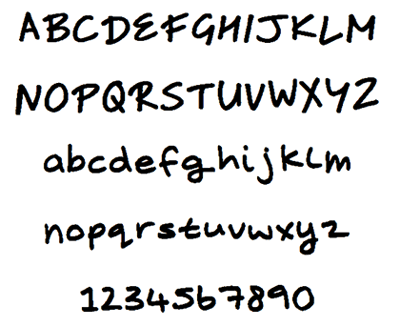
Recognizing a Font with help of 'Font Recognizers'

Seen a font in use and want to know what it is?
Now you can recognize fonts with help of 'Font Recognizers'. This can be done by uploading an image of the font which you want to know about.
 Lets begin with the tutorial "Recognizing a Font with help of Font Recognizers"

Thursday, March 24, 2011

Typing New Symbol of Indian Currency “Rupee” Using Keyboard

New official symbol for Indian currency "Rupee" has been announced by Indian Government which looks as following:

Wednesday, March 23, 2011

Using Pen Drive as Virtual Ram Without Using any Software

This is a simple trick which you can use to use your Pendrive similar to Vista & Win 7 Ready to Boost feature. That is too without using any external or third party software. Although there is a software named eboostr available which works similar way on XP ie. similar to ReadytoBoost feature of Windows Vista / Windows 7.

Using Pen Drive as Ram with "eboostr"

Do you want to boost your computer performance without spending time to open your computer and add additional RAM modules? Do you have a big USB drive or SD card memory which is rarely used? Then you have another solution to tweak your computer speed using eBoostr software.
link : eboostr

Accelerate your PC games with Game Accelerator

 Game Accelerator

Game Accelerator is a highly-developed, intelligent program that will assess your PC’s hardware and operating environment and optimize it to provide a faster, more stable gaming experience.

 Click here to download : Game Accelerator

 
Design by Free WordPress Themes | Bloggerized by Lasantha - Premium Blogger Themes | free samples without surveys